
Understanding Free Tier Limits
Spinzo Free Tier Programs include limits that help control how many tickets a fan can redeem or purchase across an event, seating zone or entire program. Understanding these limits is important to ensure each program is set up and utilized effectively.
To get started, go to the "Free Tier Programs" tab located on the left menu and click the green "Create Free Tier Program" button.
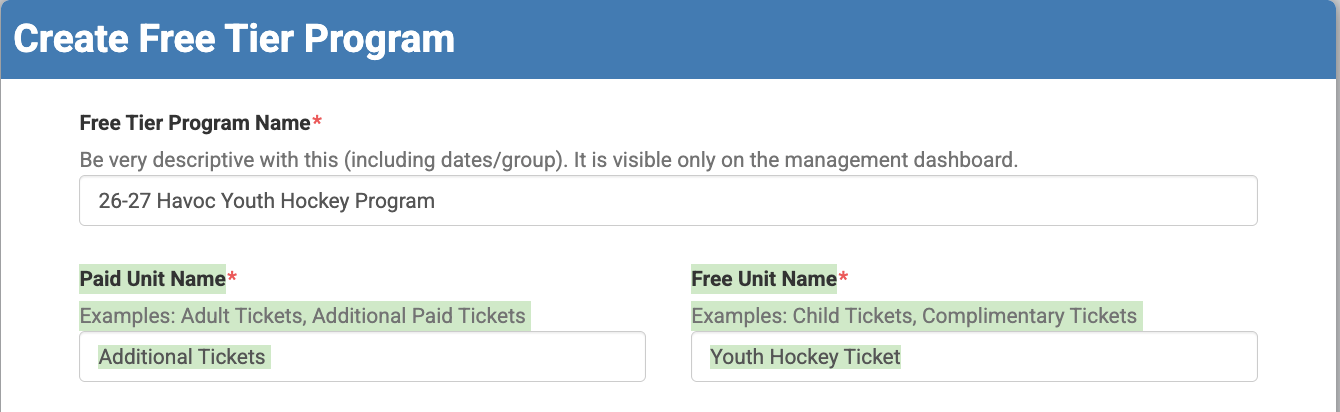
Enter the necessary information, including the "Free Tier Program Name," the "Paid Unit Name" and the "Free Unit Name." *Note: Include the year or season the program will be used in the Free Tier Program Name.

Next, select the type of Free Tier Program that will be used. The program type may impact which limits are necessary.

Free Tier Limits
Free Tier limits are divided into three categories:
Free Tier Unit Limit Per Buyer: Controls how many free tickets an individual buyer can redeem.
Main Tier Unit Limit Per Buyer: Controls how many paid/additional tickets an individual buyer can purchase.
Maximum Free Tier Units to Sell (across all buyers): Controls the total number of free tickets available.
Each category can include limits at the "Per Offer (ticket class)," "Per Sales Event," and Across Program levels.
Free Tier Unit Limit Per Buyer
This category control the number of free tickets each buyer can redeem. It does not impact additional paid tickets.

Per Offer (ticket class): This is the only required limit. It controls how many free tickets a buyer can redeem per seating zone. For example, if the limit is "2" and three seating zones are available, a buyer could redeem up to six free tickets (two for each zone).

Per Sales Event: This further limits the number of free tickets a buyer can redeem for an individual event. For example, entering "2" means a buyer can redeem only two free tickets total for that event, regardless of how many seating zones are available.

Across Program: This controls how many free tickets a buyer can redeem across the entire program. If the limit is "2," the buyer can redeem only two free tickets total, even when multiple events are available.

*Note: A Per Offer limit is required. Per Sales Event and Across Program can be left blank if those limits are not needed.
Main Tier Unit Limit Per Buyer
This category controls the number of paid or additional tickets a buyer can purchase.
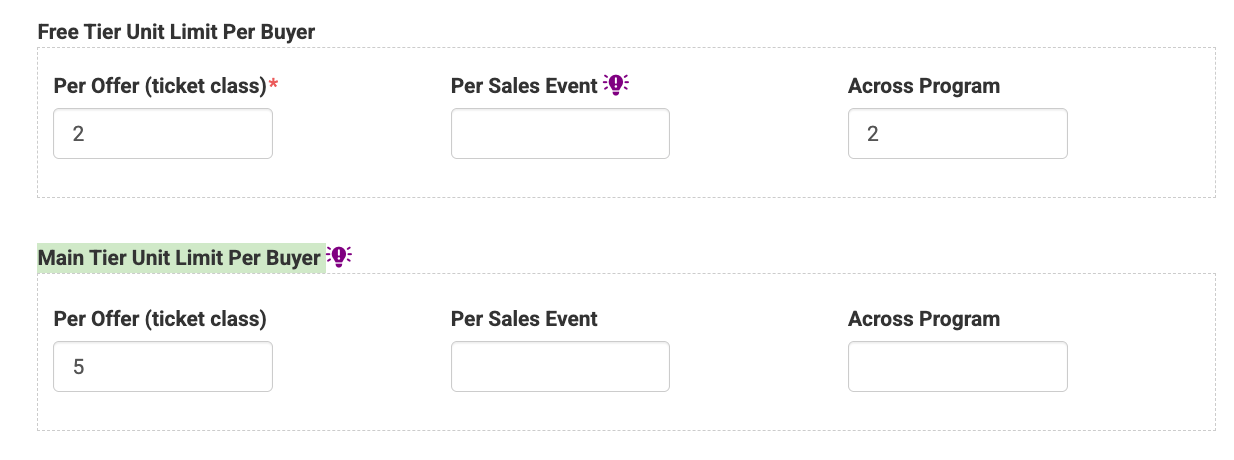
Per Offer (ticket class): This controls how many paid tickets a buyer can purchase per seating zone. For example, if the limit is "5" and three seating zones are available, the buyer could purchase up to 15 paid tickets.
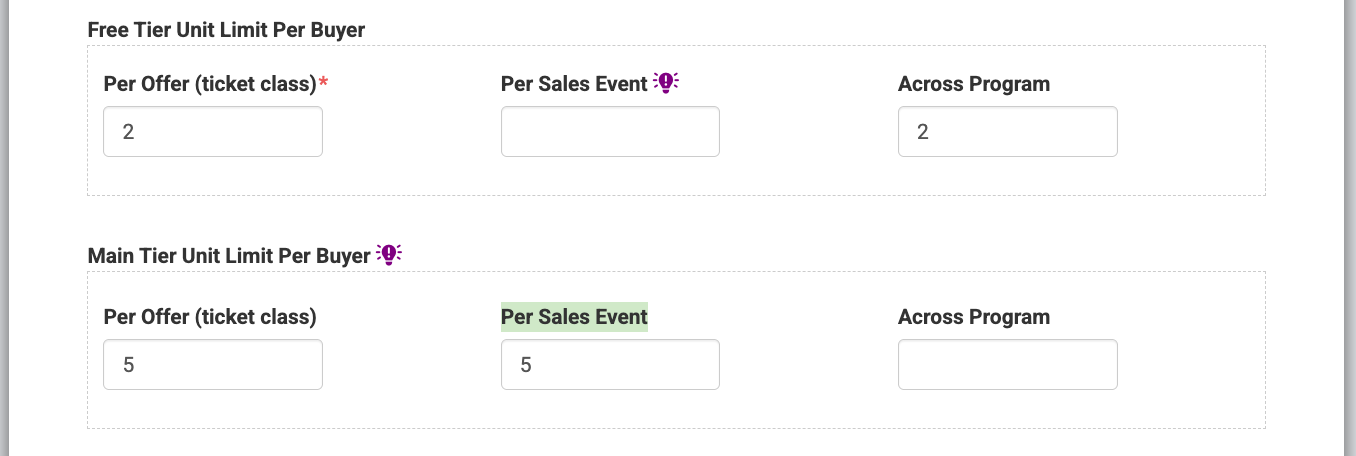
Per Sales Event: This limits the total number of paid tickets a buyer can purchase for an individual event. A limit of "5" means the buyer can purchase up to five paid tickets for the event, regardless of the number of seating zones.
Across Program: This limits the total number of paid tickets a buyer can purchase across the entire program. A limit of "5" means the buyer can purchase up to five paid tickets total across all available events.
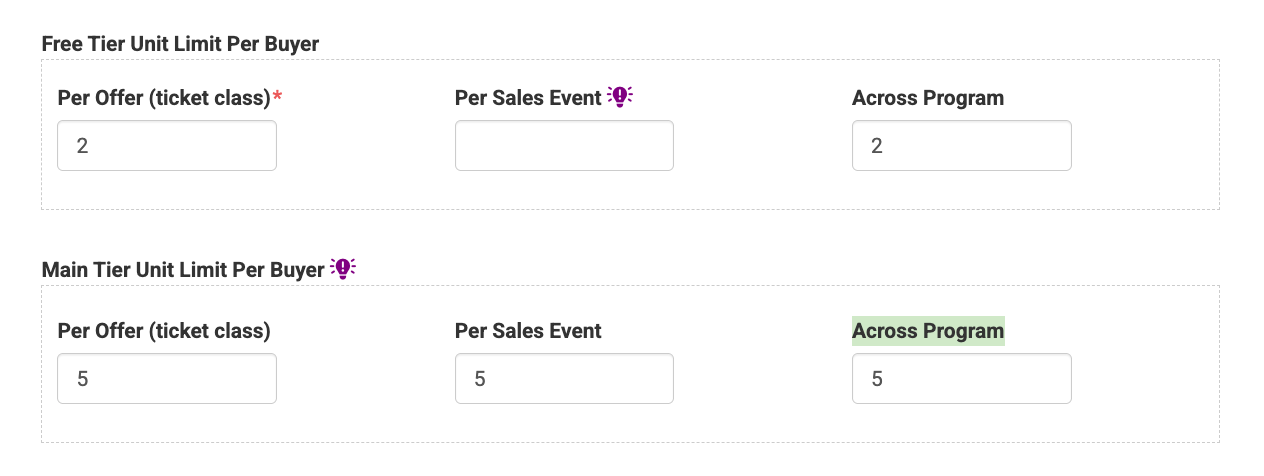
*Note: These limits are optional. If no limit is entered, the promotion will default to the buyer unit limit set on the promotion.
Maximum Free Tier Units to Sell (across all buyers)
This category controls the total number of free tickets available to all buyers, rather than the number of available to an individual buyer.
Per Offer (ticket class): This controls the total number of free tickets available per seating zone. If the limit is "100" and three zones are offered, up to 300 free tickets could be available (100 per zone).

Per Sales Event: This controls the total number of free tickets available for an individual event. A limit of "100" means up to 100 free tickets can be redeemed for that event across all seating zones.

Across Program: This controls the total number of free tickets available across the entire program. A limit of "100" means only 100 free tickets can be redeemed across all events combined.

*Note: All limits in this category are optional.
Understanding each of these limits is important when setting up a Free Tier Program. By using the limits individually or together, teams can control how many free and paid tickets each buyer can access while also managing the total number of free tickets available across the promotion. Before launching a program, consider how you want buyers to use their free tickets across seating zones, individual events and the entire program, then set the limits accordingly.