
NEW: Group Abandon Cart Report
You asked and Spinzo delivered.
Now available for all clients, the Group Abandoned Cart Report, in the reporting dashboard. Here is quick guide on how to run and use this report.
#1- Select the report under Standard Reports.
#2- Choose a starting date for your data and click run report. The report will show data for the last year on that group.
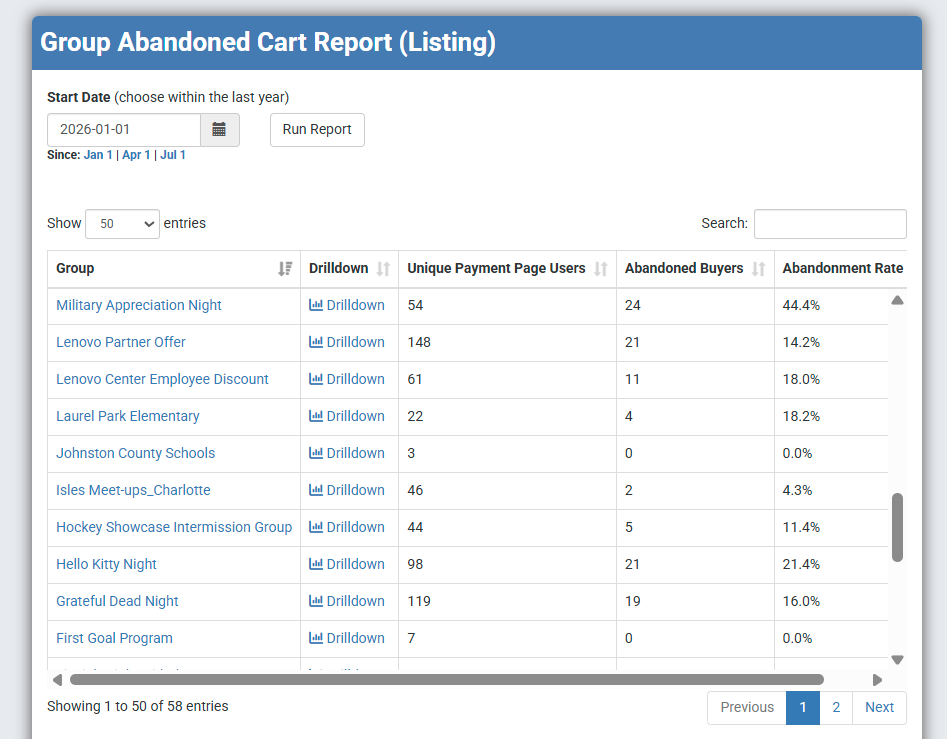
#3- The report will show by group the number of Unique Payment Page Users, Abandon Buyers and the Abandonment Rate for the time period selected.
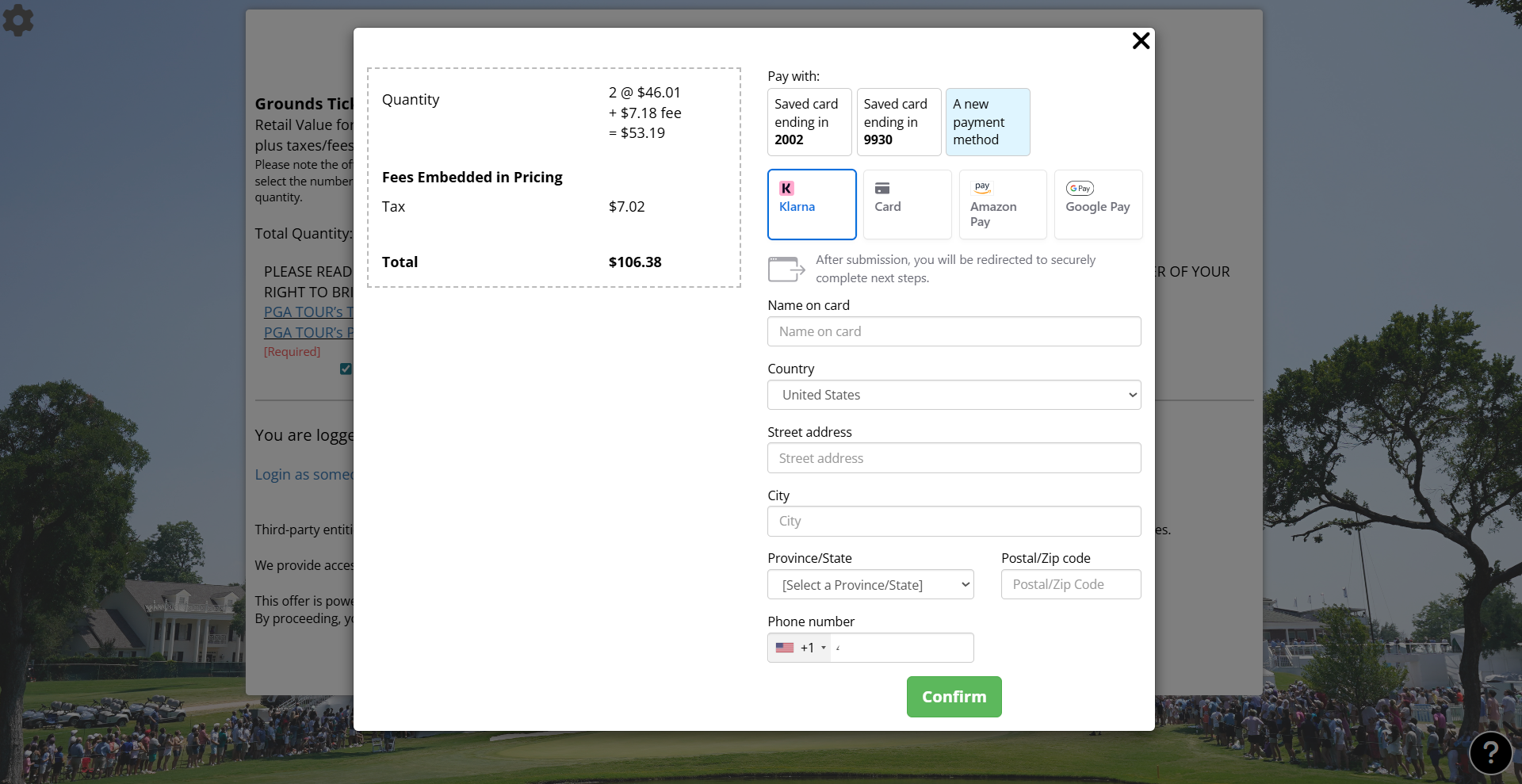
**The payment page is the final step in the Spinzo process and looks like the below image, any fans who made it to this page are counted as Unique Payment Page Users.
Example Group Abandoned Cart Report:
#4- To see the actual abandoned users for your group, click the drill down button for a full listing of each fan, their email and the last time they were on the checkout page.
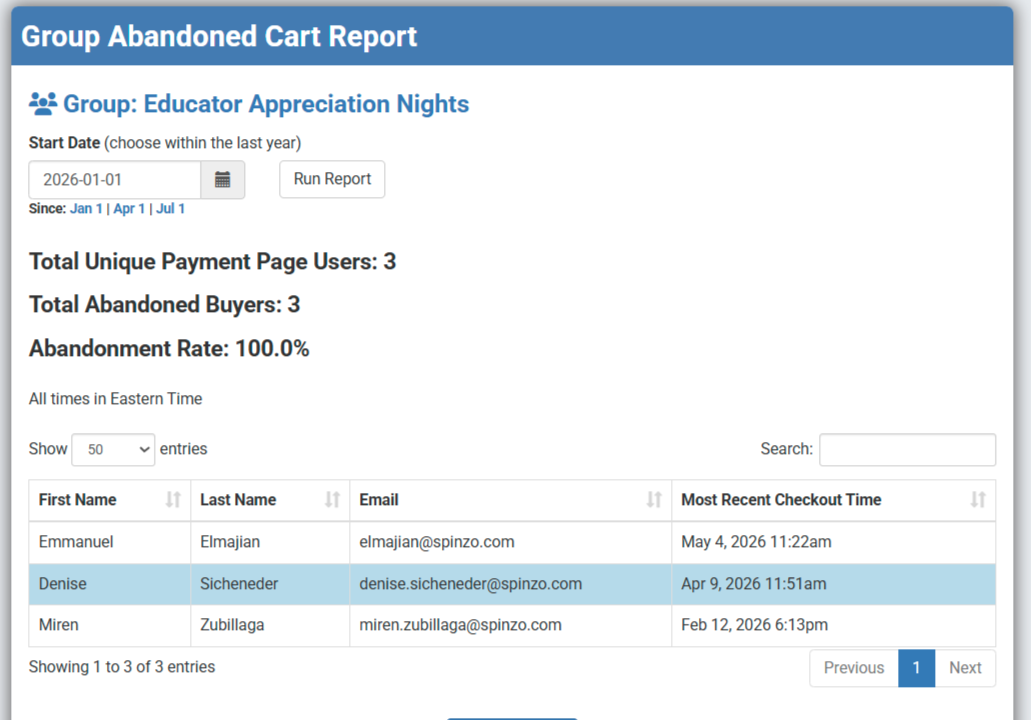
Abandoned Cart data is downloadable into excel and any fan on the report that eventually purchases will no longer be listed.
Combine the data in this report to the overall views in the Group Audience Report to understand the drop off of fans throughout the buy process.