
Identifying Price Codes & Ticket Types In The Inventory Tracker
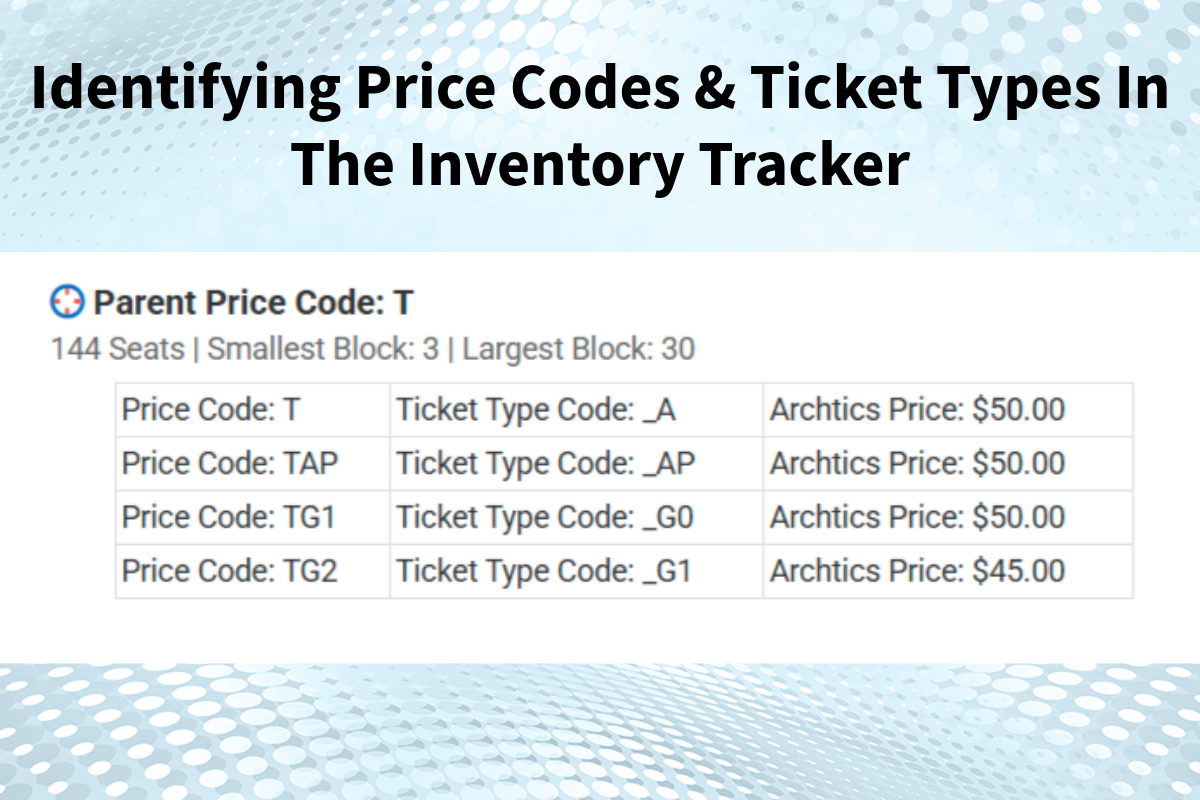
Recognizing the difference between "price codes" and "ticket types" can be challenging. For this reason, Spinzo provides a tool to help representatives easily identify the different price codes and ticket types available to use on the platform. This tool is referred to as the inventory tracker. Before reviewing the inventory tracker, let's identify some key characteristics included with price codes and ticket types.
Price Codes
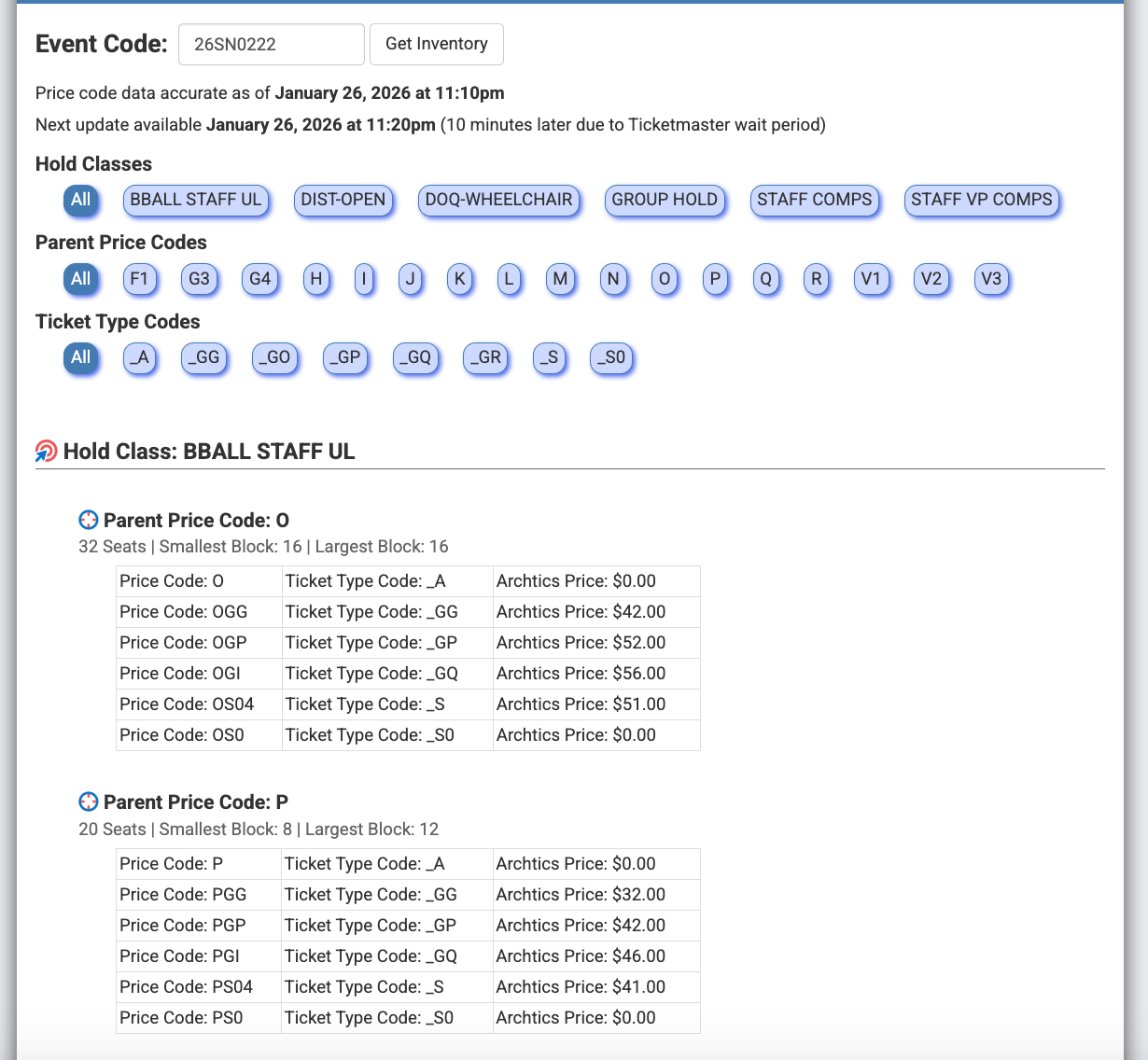
Price Codes typically represent a seating zone and price point that tie to inventory and pricing located in the Archtics database. Single letter price codes are typically known as "parent price codes". Under the "parent price" code is a set of "child codes" that are 2-4 digits long with the parent price code single letter typically starting the sequence of letters or digits. Below is an example of a parent price code "H" and its related "child price codes".
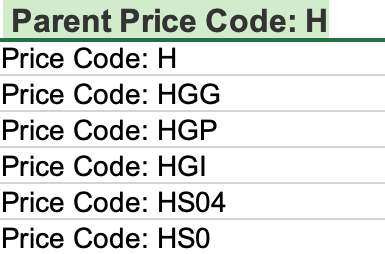
Price codes are entered into the Spinzo platform at the offer level when building a hold class method offer.

Ticket Types
The ticket type represents the category or the purpose of the ticket. It can indicate who the ticket is for or what the ticket is for. The ticket type often has an underscore followed by 1-2 letters or digits. The ticket type most commonly associated with the "parent price" is usually _A; this refers to the adult ticket type. This ticket types help track the different category of tickets sold for an event. Below is a set of price codes followed by the associated ticket types (Note: sometimes the ticket type does not share any similar letters or digits to the price code and other times it matches the digits or letters used in the price code):
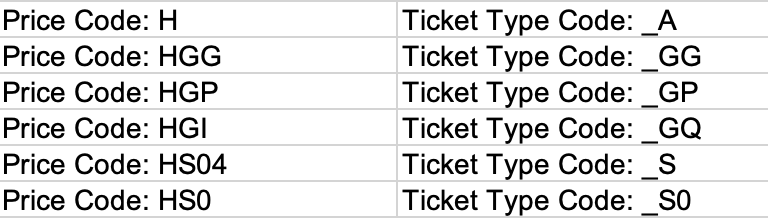
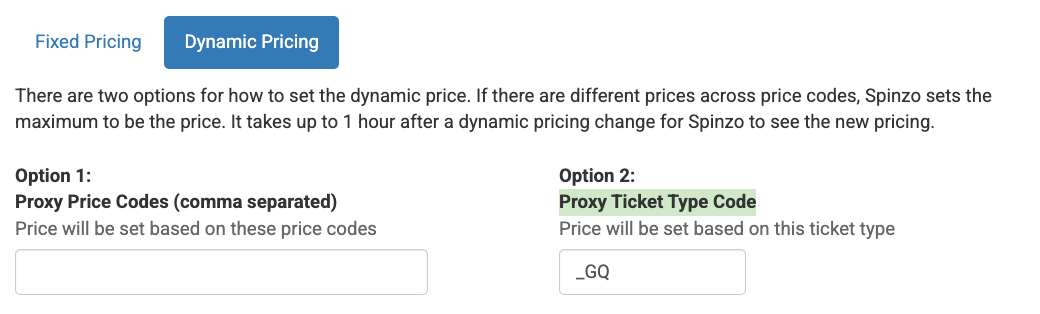
In Spinzo, ticket types are used for hold class offers and reserved offers. The ticket types help ensure the correct price code and pricing is applied.

Spinzo Inventory Tracker
The Spinzo inventory tracker is a helpful tool that shows the price codes and ticket types Spinzo has access to. If a price code or ticket type is not in the inventory tracker then Spinzo does not have access to that inventory. It's important to check the inventory tracker to make sure the price codes and ticket types that are being used for an offer are visable by Spinzo.
Follow the steps below to find the inventory tracker.
Step 1: Search or create a group.
Step 2: Select a sales event included in the current group or create a sales event and click on that newly created event.
Step 3: Once on the Sales Event Overview page, there should be the name of the sales event, the date, and the event code listed in a row. Click the link next to the "Event Code" and a new window will open that shows the inventory tracker.
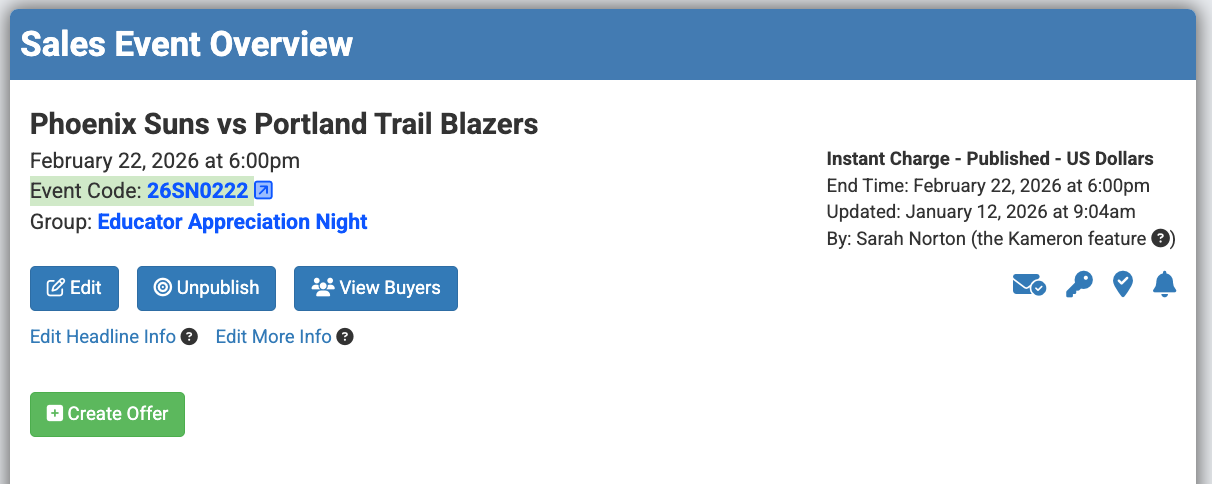
Step 4: Use the inventory visible in the new window to create an offer or zone.
Note: The inventory tracker can also be found in two places after clicking "Create Offer". Once at the top right below the "Event Time". A second time below where the price code and hold class gets entered. See examples below
Inventory Tracker Example:
Understanding the difference between the price code and ticket type can help avoid errors when building offers within the platform.