
How To Use GovX Verification
Spinzo offers complimentary GovX verification through the platform. Set up any promotion and then tag it with a category or categories of GovX verified groups. Buyers will then be guided to verify with GovX before being able to check out. Seamless, simple and effective!
GovX Verification Categories
GovX provides verification in the US for all of the following categories. For specific details of who is eligible in each of these categories, the GovX website details that here.
- Military
- Law Enforcement
- Firefighters
- Educators
- Medical Practitioners
- Government Employees
Building A GovX Offer in Spinzo:
Step 1: Connect with Spinzo at service@spinzo.com to have the GovX campaign (if not already there) created for your seller. This provides accurate tracking data for GovX to understand verification traffic and usage by market and category.
Once the campaign is added, it will be visible in the drop down seen below at the offer level:

Step 2: Build the group and sales event in traditional fashion, for the offer that requires verification, it will be tagged with the Require GovX Verification box that is found at the bottom of the offer build screen.
Step 3: Publish and begin to sell.
Buyers will see this flow to verify:
#1- Asking to Verfiy

#2- The verification process
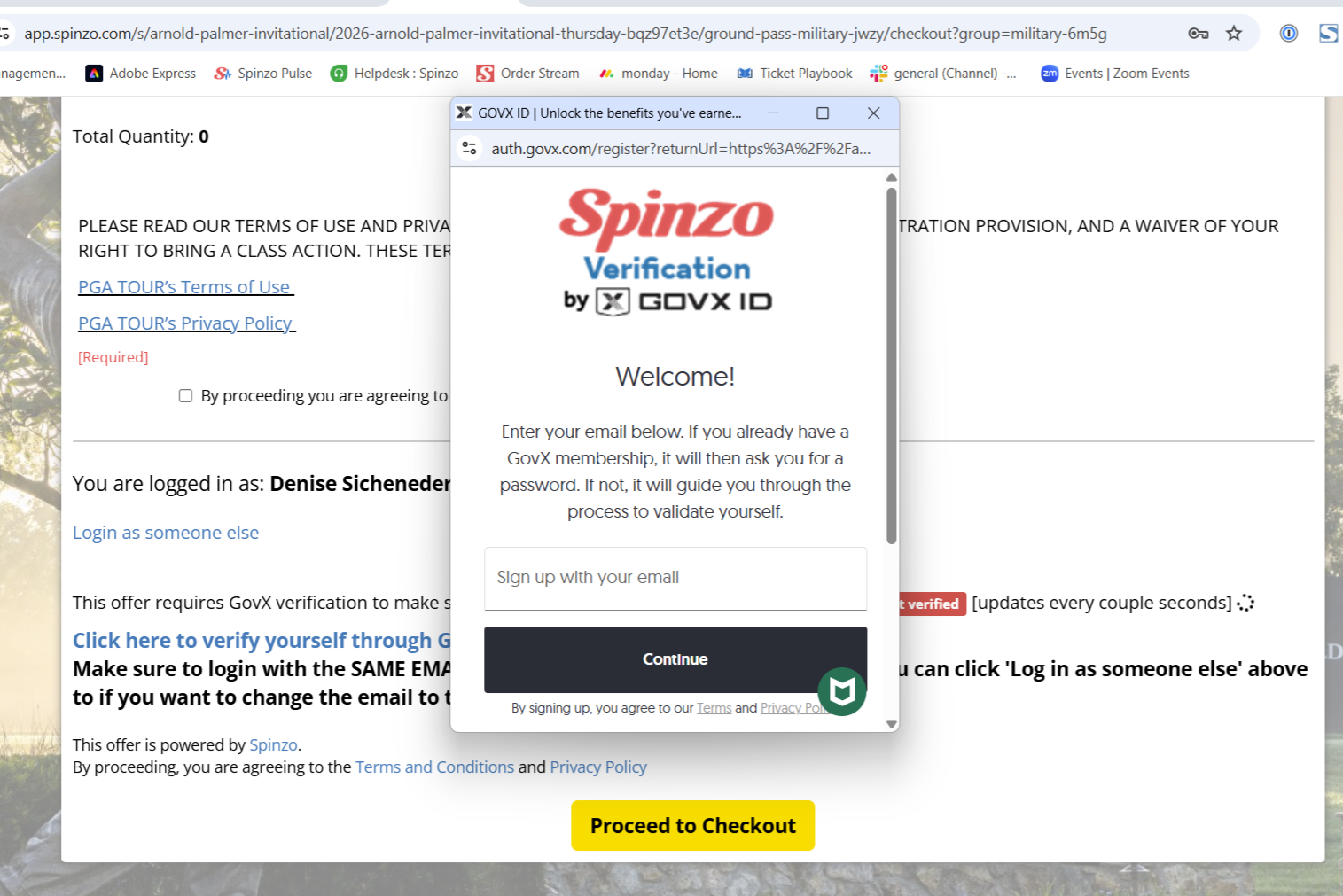
#3- Fully Verified
