
How To Process Refunds In Spinzo
While refunds are typically not allowed, there are times when they are necessary. Spinzo allows Seller Admin role users the ability to refund on the platform.
Processing a Refund
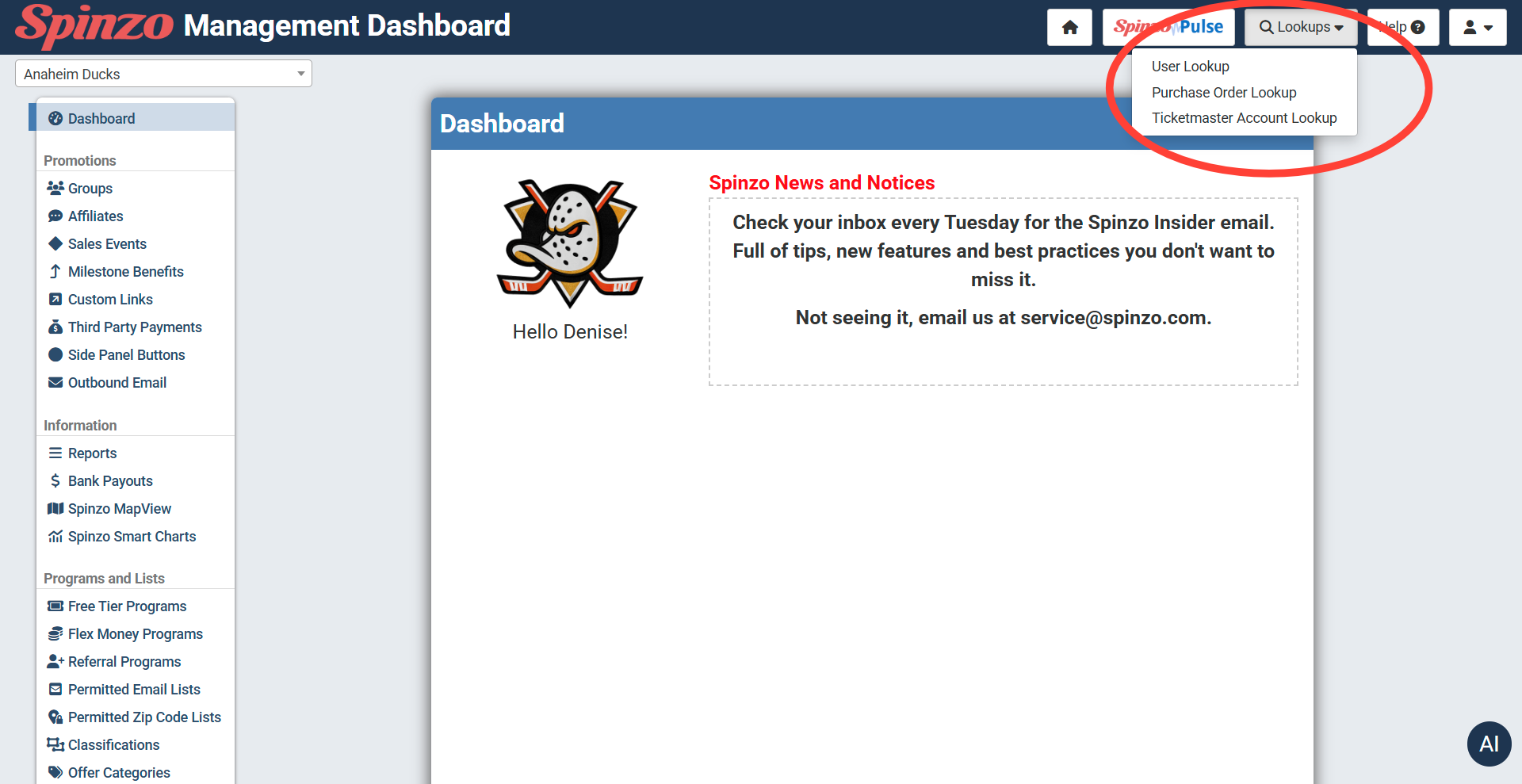
Step 1: Locate the order to refund, using the Look-ups tool in the top right hand corner or another buyer report.
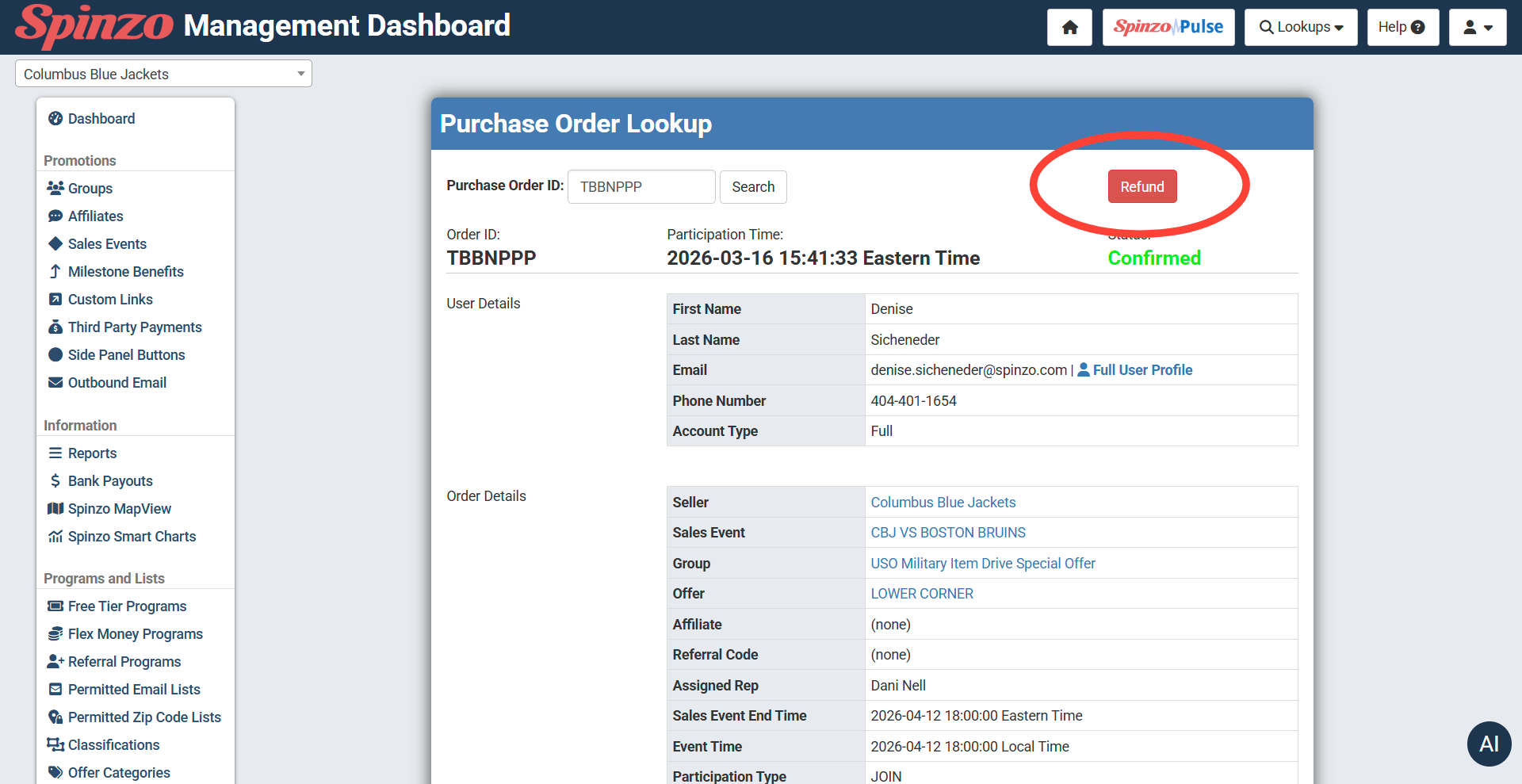
Step 2: On the Purchase Order Look-up page select the Refund button and choose to confirm the refund.
Step 3: Upon refunding, Spinzo will attempt to release the seats and will fully refund the buyer (ticket cost and fees). Once the refund is complete, all Archtics integrated orders will generate copy with the details of the Spinzo method payment that needs to be cleared from the account.
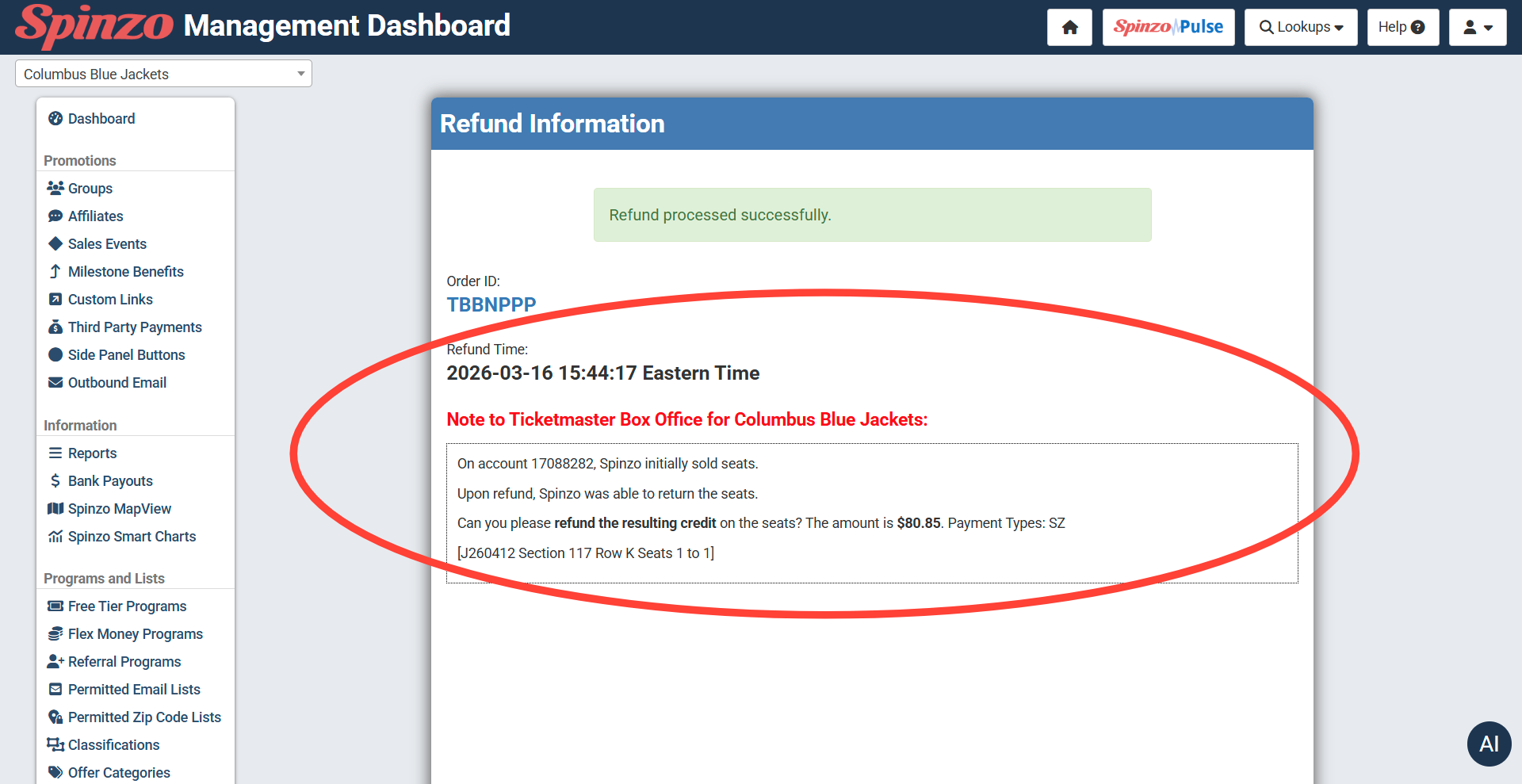
Step 4: Send the Note to Ticketmaster Box Office to appropriate team or execute the removal of the Spinzo credit.