
How To Create A Gift Program in Spinzo
Spinzo now offers the ability to create a promotion that include a digital gift card, voucher or coupon with the purchase of a ticket or package. Fans can now purchase tickets and automatically receive a digital code and redemption link their confirmation email. Spinzo makes it easy to build the bundle and distribute gift cards or couponsautomatically after purchase.
To create a "Gift Program" in Spinzo, follow the steps below:
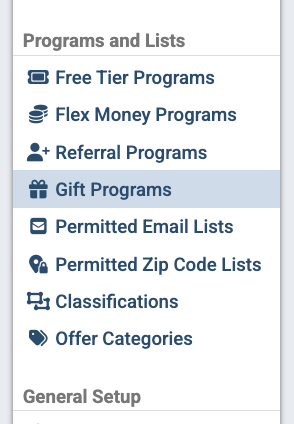
Step 1: Locate and select the "Gift Program" tab on the left-side menu under the "Programs and Lists" section.
Step 2: Click the green "Create Gift Program" button.

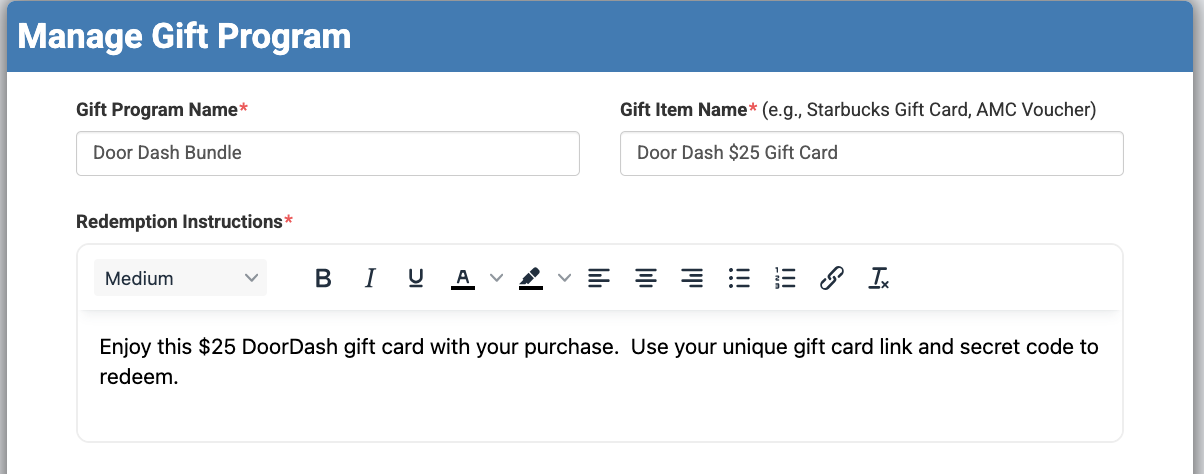
Step 3: Enter the "Gift Program Name" and "Gift Item Name," then add the "Redemption Instructions." *Note: The instructions will appear on the buyer confirmation email.
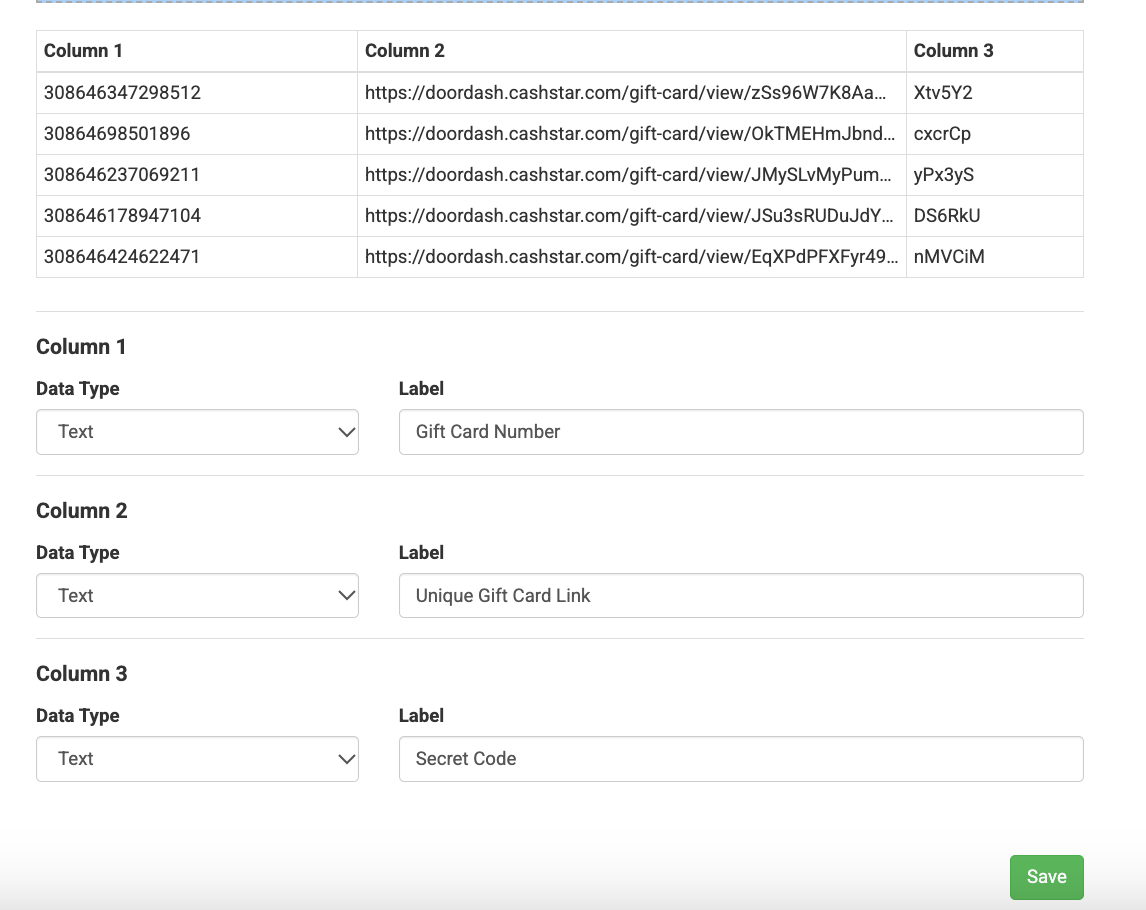
Step 4: Under "Gift Items," copy and paste the gift data from Excel or Google Sheets. Please note this should be pasted without the column headings.
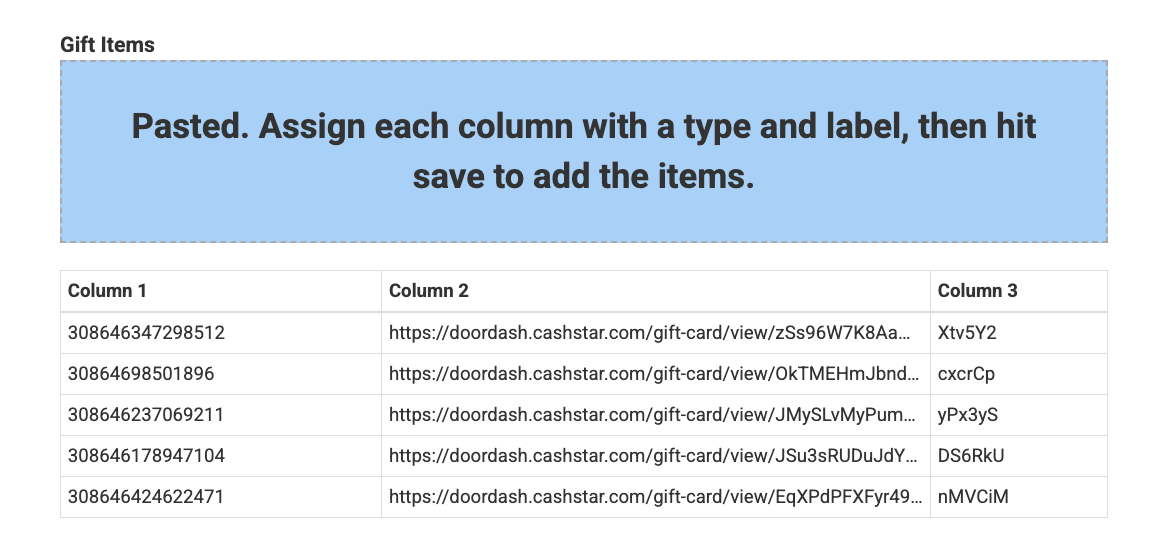
Step 5: After adding the data, the system will prompt you to label each column. Name the columns according to the gift information being provided, then click "Save."
Step 6: Once the "Gift Program" is created, proceed with building out the "Group" and Sales Event(s).
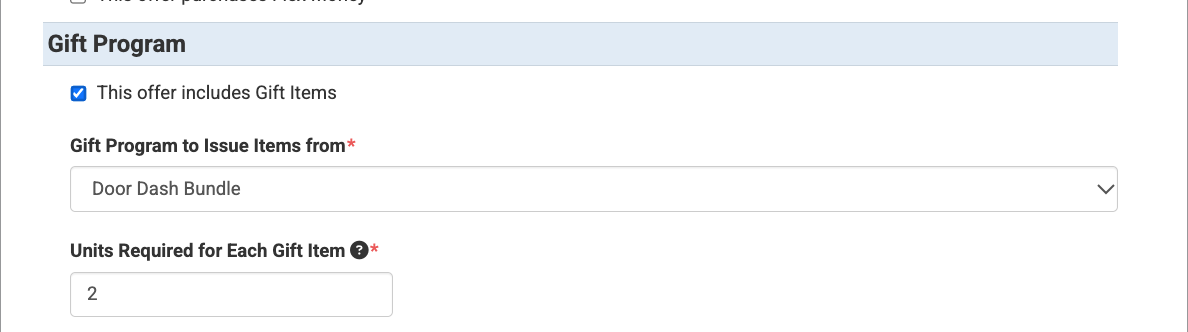
Step 7: When creating "Offers" or seating zones for the promotion, locate and check the "Gift Program" option, found below "Flex Money" and above "Lave."
Next, select the appropriate program from the "Gift Program To Issue Items From" dropdown menu and enter the "Units Required for Each Gift Item." In the example below, two tickets must be purchased to receive one gift card.
*Note: The "Offer" can also be structured as a package requiring a minimum purchase of two tickets.
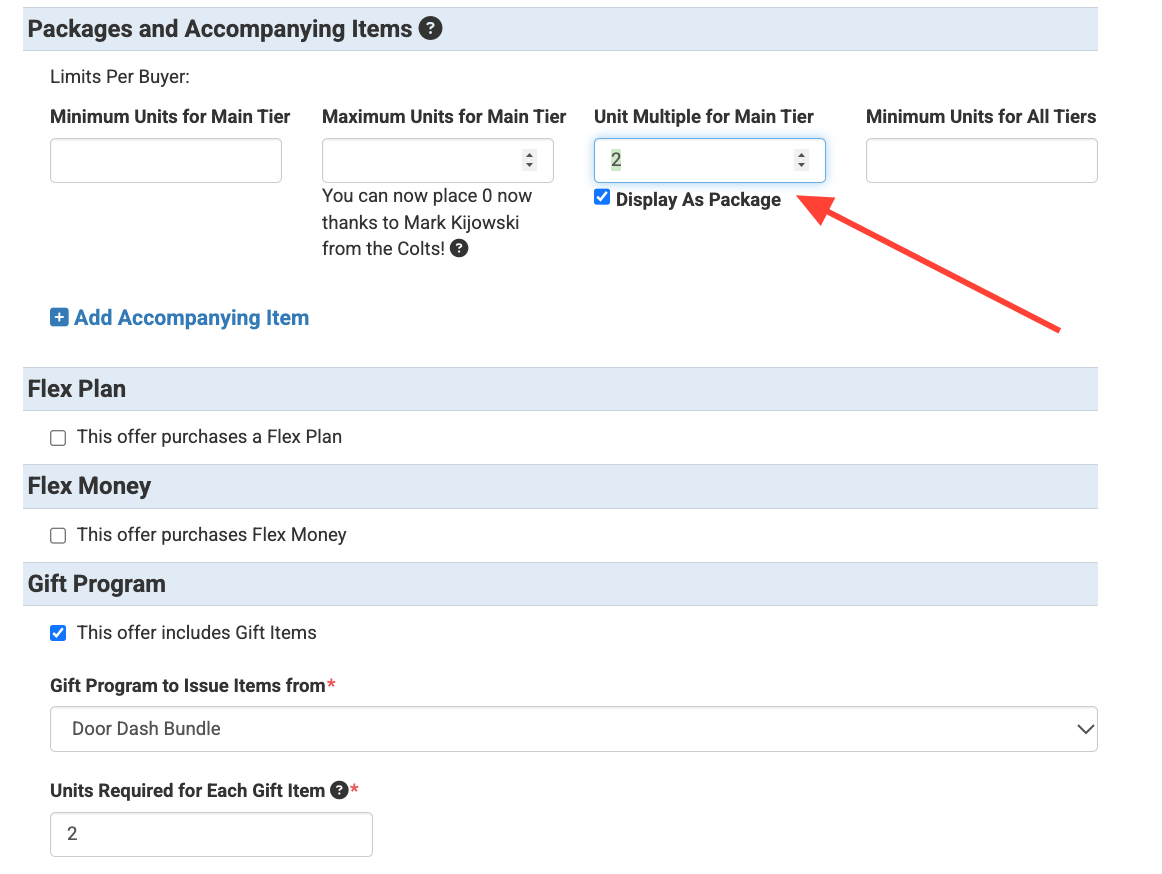
Step 8: Be sure to enable the "Gift Program" for each seating zone included in the promotion.
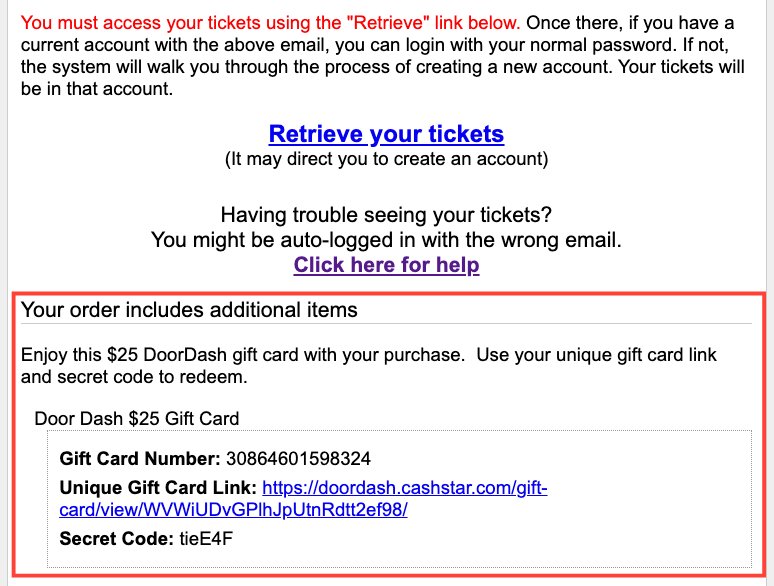
Once a buyer completes their purchase, the gift card, voucher, or coupon information will automatically appear in their confirmation email, below the ticket redemption instructions.
The Gift Program opens up new opportunities for teams to create unique ticket packages and add value to their promotions. Whether highlighting a corporate partnership, offering discounts at the team store, or bundling tickets with a special incentive, this feature provides an easy way to enhance promotions and encourage additional purchases.