
How To Build An Offer with Subsidized Payments
Spinzo allows you to create offers with subsidized payments. In these scenarios, a business, organization, or school can cover part of the ticket cost, enabling buyers to purchase tickets at a discounted rate. Spinzo provides all the tools needed to set up and manage these types of offers.
Here are the steps on how to build this within the platform:
Step 1: In the offer building process, start building the offer like normal. Select the ticket type and add the price codes and hold classes.
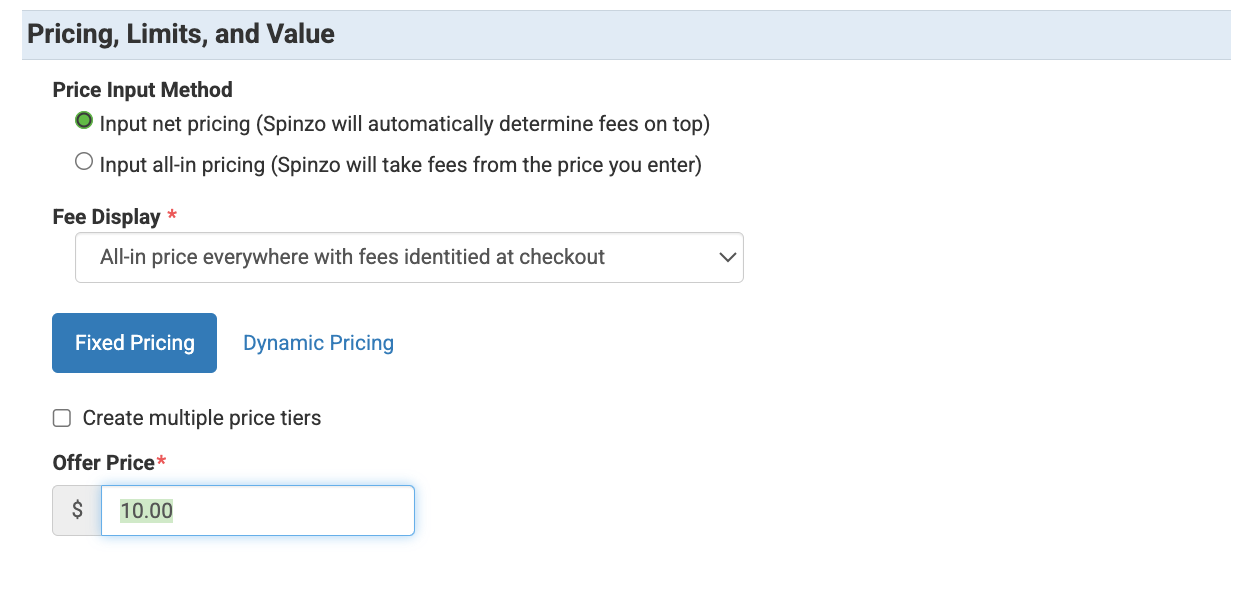
Step 2: Add the "Offer Price". When adding the "Offer Price" it's important to note that this will be what the buyer pays toward the ticket. In the example below, the buyer will pay $10.00 even though the total cost for the ticket is $30.00.
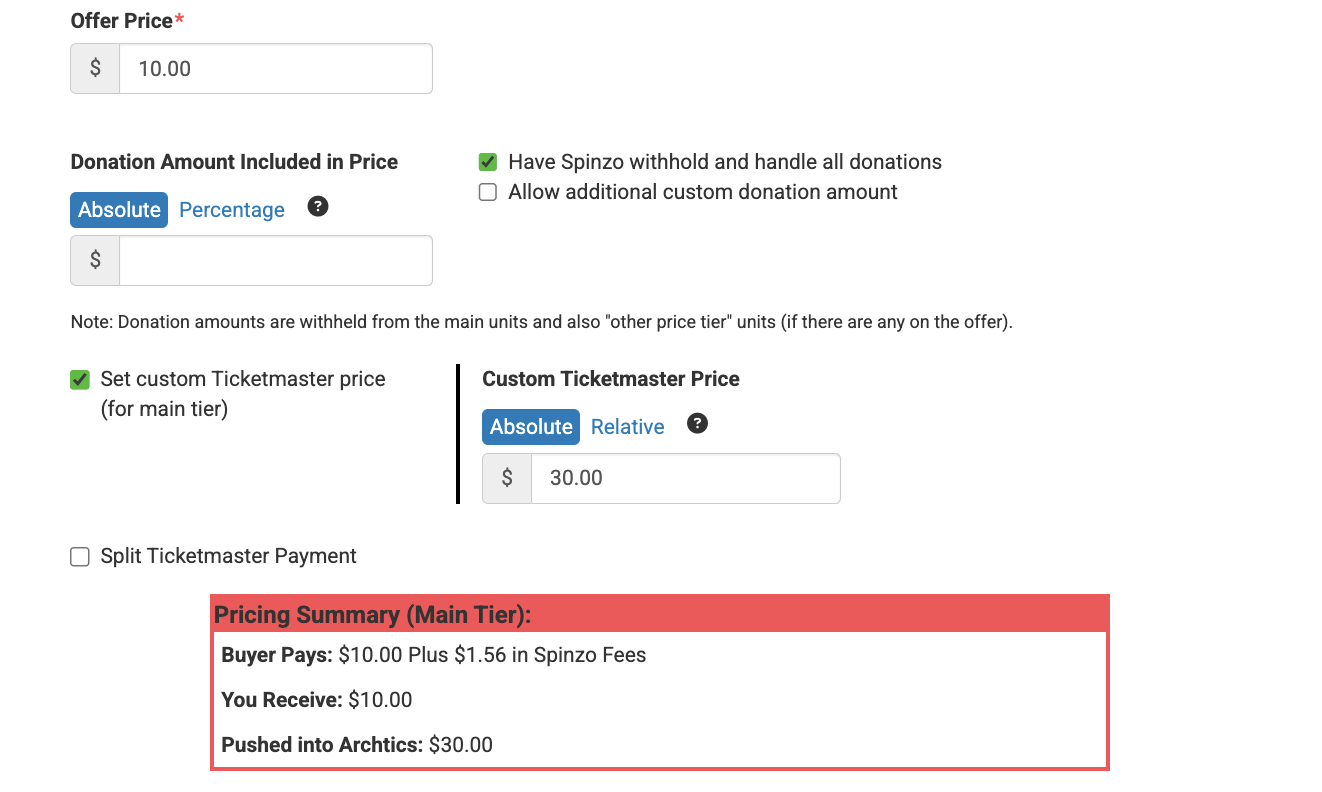
Step 3: Put a checkmark on "Set custom Ticketmaster price" and add in the total price for the ticket. In the example below, $30.00 is getting pushed into archtics, but the buyer will still only pay $10.00.
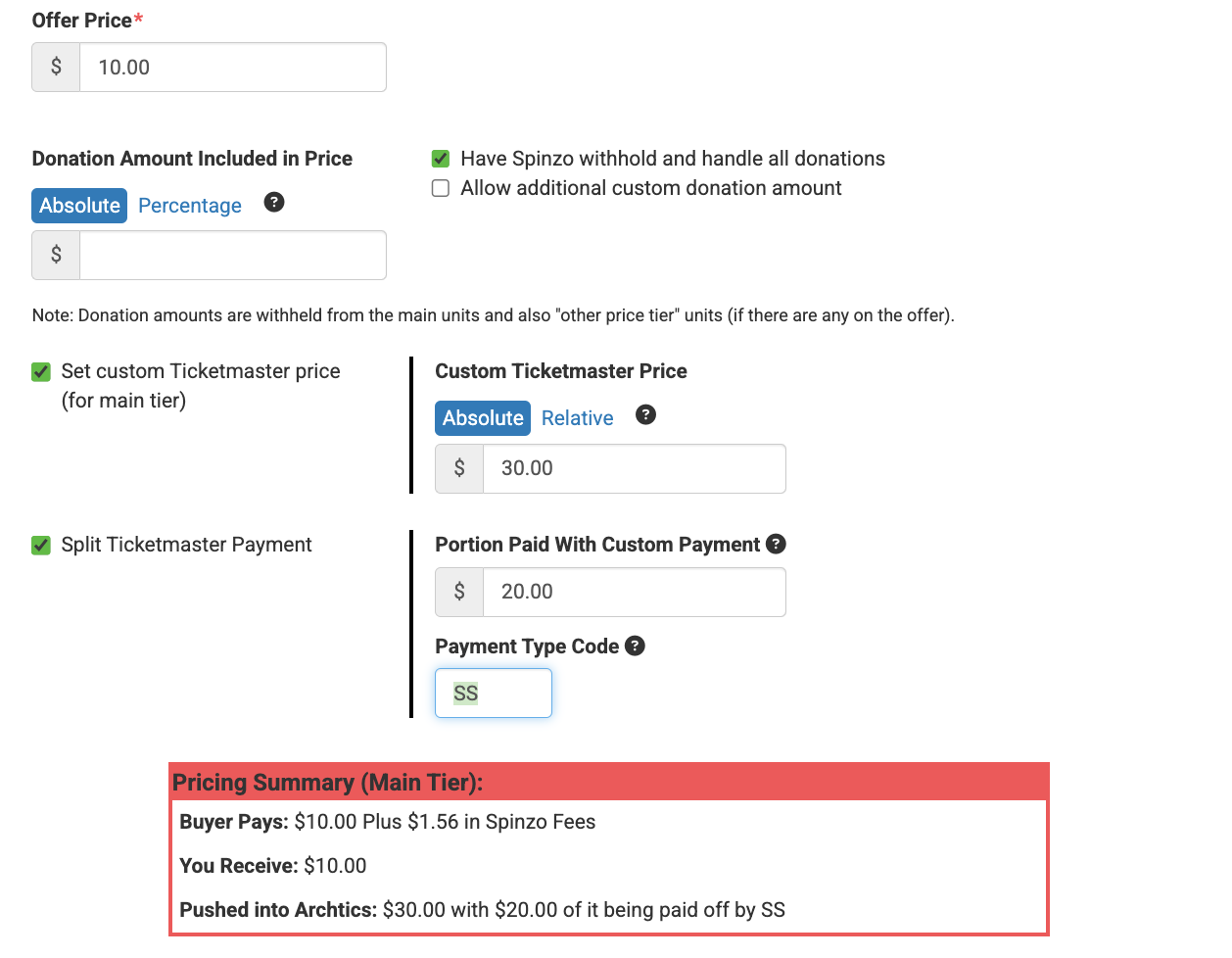
Step 4: Put a checkmark on "Split Ticketmaster Payment" and add in the portion of the ticket price that will be covered by the company or group. Please also include the "Payment Type Code." *Please note: Spinzo typically pays everything off with the Spinzo payment type code which is usually SZ. For subsidized offers, Spinzo recommends coming up with a subsidized specific payment type code. In the example below, SS is being used. SS would be the type code being used to payoff the company or group portion.
Step 5: Save the offer.
Once the offer is saved, feel free to check the buy flow to make sure everything is showing as expected or do a test purchase to make sure everything is pulling into archtics as expected.