
How To Apply The General Admission Feature

For General Admission (GA) events in Archtics, displaying specific seat locations on offers or confirmation emails can create confusion for buyers, since assigned seats do not actually exist for the event.
To prevent section, row, and seat information from appearing in the buy flow or confirmation emails, Spinzo recommends using the platform's General Admission feature.
To use the General Admission feature, follow the steps below:
Step 1: Create a group and sales event or select an existing group and sales event.
Step 2: Click "Create Offer."
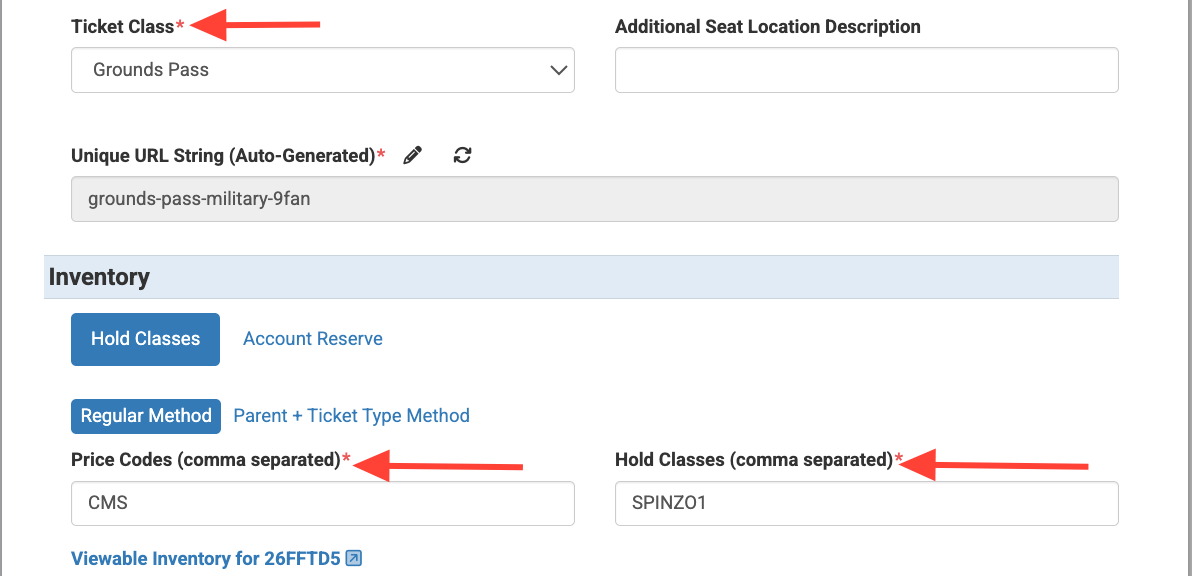
Step 3: Add the "Ticket Class", "Price Codes" and "Hold Classes"
Step 4: Located below the "Hold Classes" field, find the checkbox next to "Show seat selector" and uncheck the box. This will allow other options to show, including "General Admission Event" and "Hide Specific Seats in Confirmation."

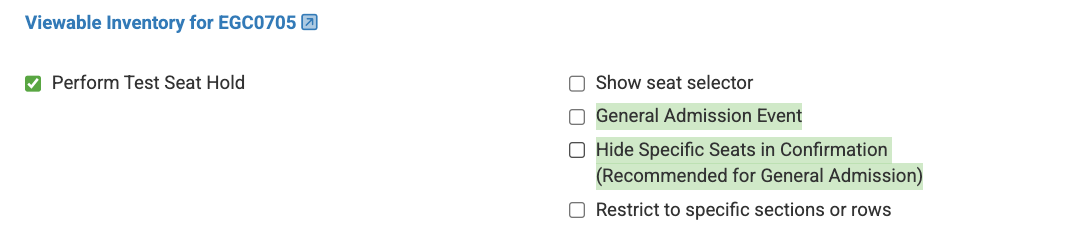
Step 5: To remove the seat selector from the buy flow, put a checkmark next to "General Admission Event." Buyers will no longer need to select specific seating locations.
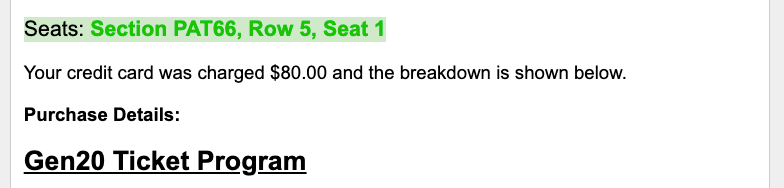
Then select "Hide Specific Seats in Confirmation." This will remove the specific seat locations from the confirmation email.
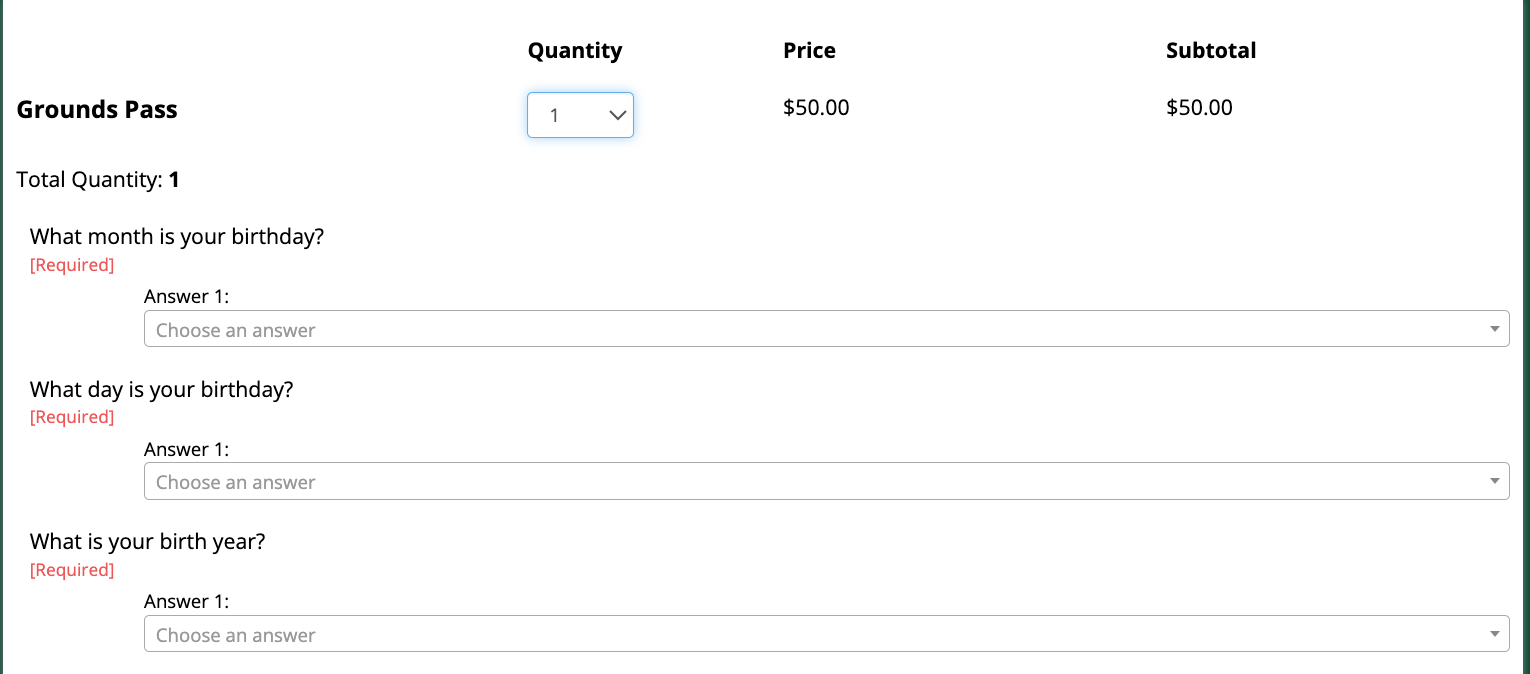

Step 6: Add the offer price and adjust ticket limits if necessary.
Step 7: Click "Save" and check buy flow.
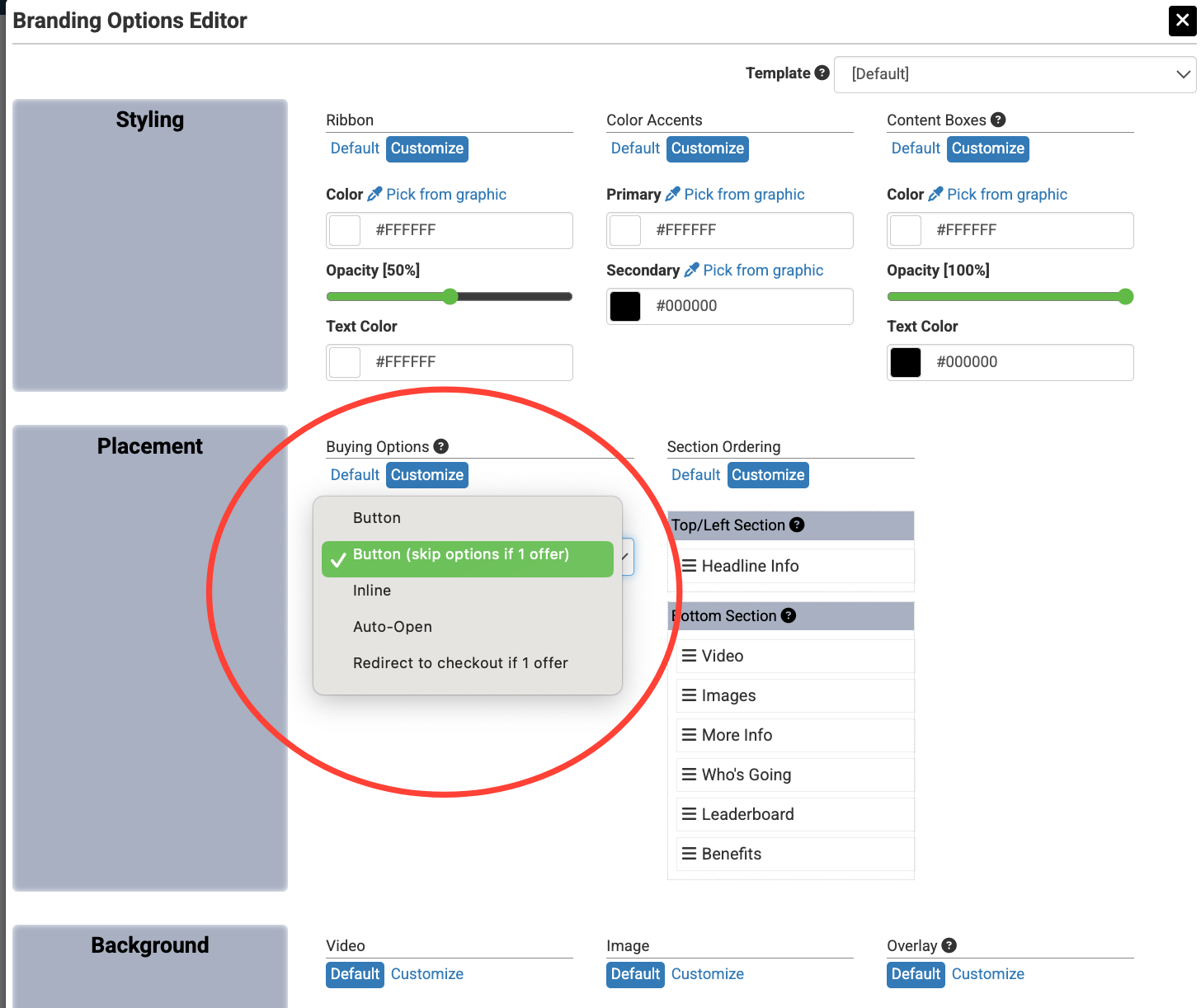
*Pro-Tip: When creating a GA offer, please consider making an adjustment to the "Branding Options" "Buying Options." To reduce unnecessary clicks in the buy flow, consider changing the "Buying Options" setting from "Button" to another dropdown option when appropriate for the offer setup.
The General Admission feature is ideal for GA events, fan experiences, or any Archtics setup that does not use assigned seating. Using this configuration helps create a cleaner purchase experience and prevents buyer confusion caused by invalid seat locations.