
How to Add Questions and a Leaderboard at the Affiliate Level
Spinzo's question feature is now available at the Affiliate level, in addition to the Seller level, Group level, Sales Event and Offer level. Questions and leaderboards can be added to an Affiliate that is part of a specific promotion or to a Global Affiliate.
Adding a question at the Affiliate level provides more flexibility by allowing teams to collect information or display a leaderboard for a specific audience without impacting the larger Group or other Affiliates within the promotion.
How to add a Question to an Affiliate
Step 1: Locate and select the Group where an Affiliate question needs to be added.
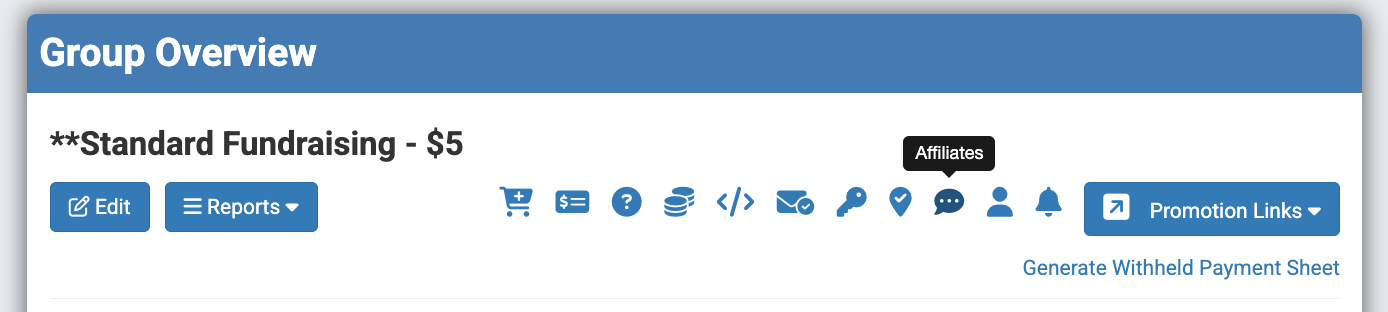
Step 2: Locate and click the "Affiliates" icon. It is the chat bubble icon located three icons over from the "Promotions Links" button.
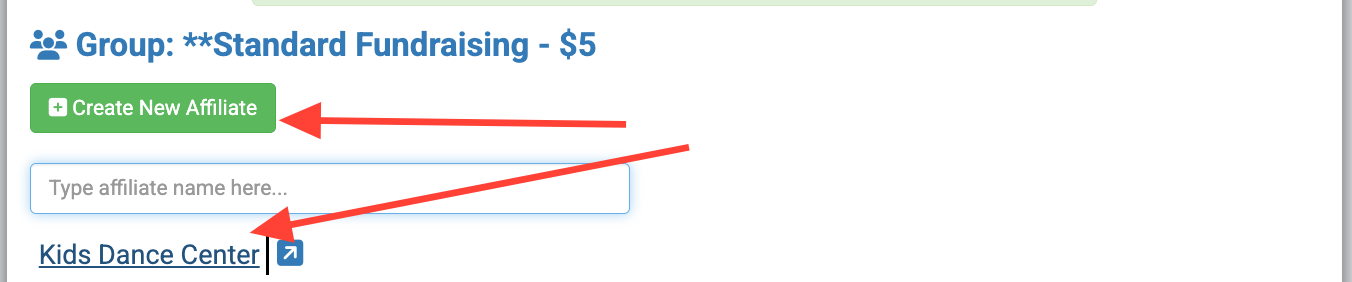
Step 3: Select the specific Affiliate where a question needs to be added, or click "Create New Affiliate" to create an Affiliate.
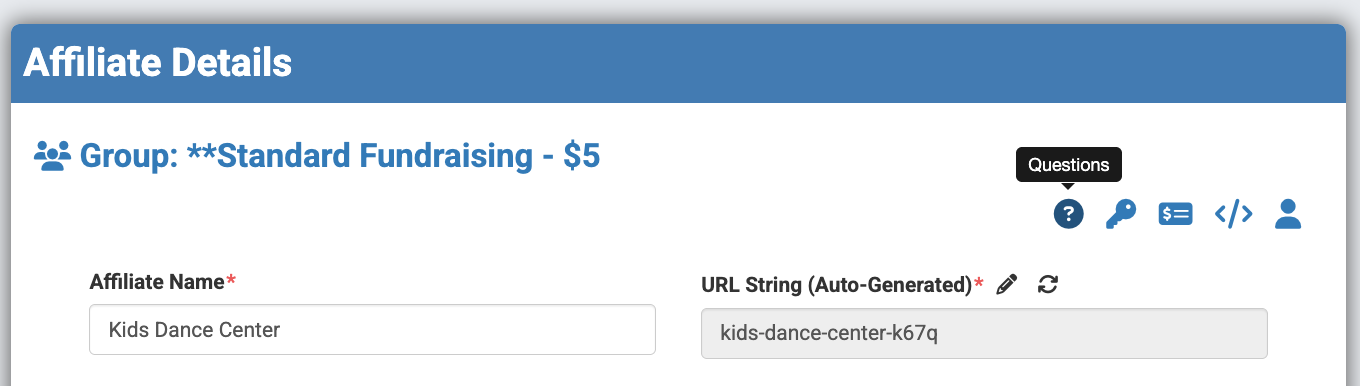
Step 4: Locate and select the question mark icon in the top-right corner of the Affiliate build, just above the URL string. When hovering over the icon, it should read "Questions."
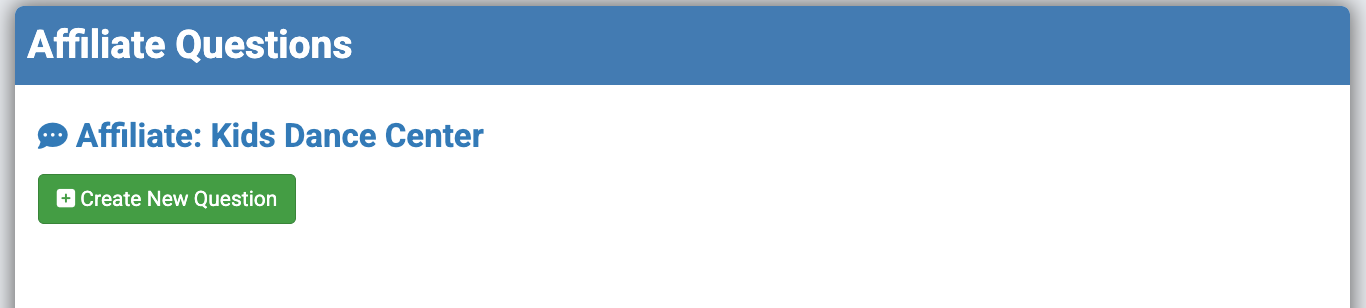
Step 5: Click the green "Create New Question" button.
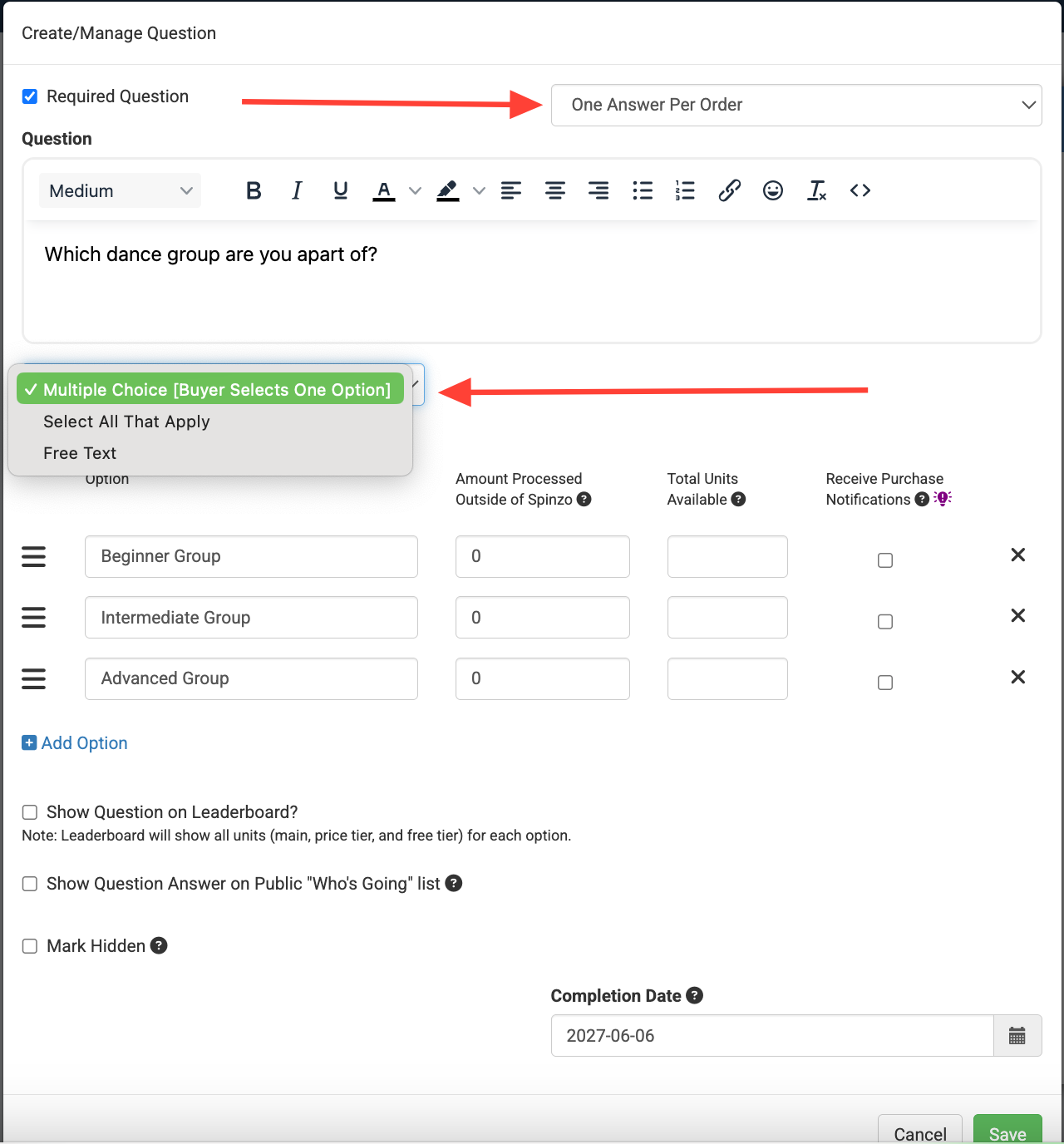
Step 6: Add the question and adjust any necessary settings. For example, select how many times per unit or order the question should be asked and choose the appropriate response type, such as free text, select all that apply, or multiple choice.
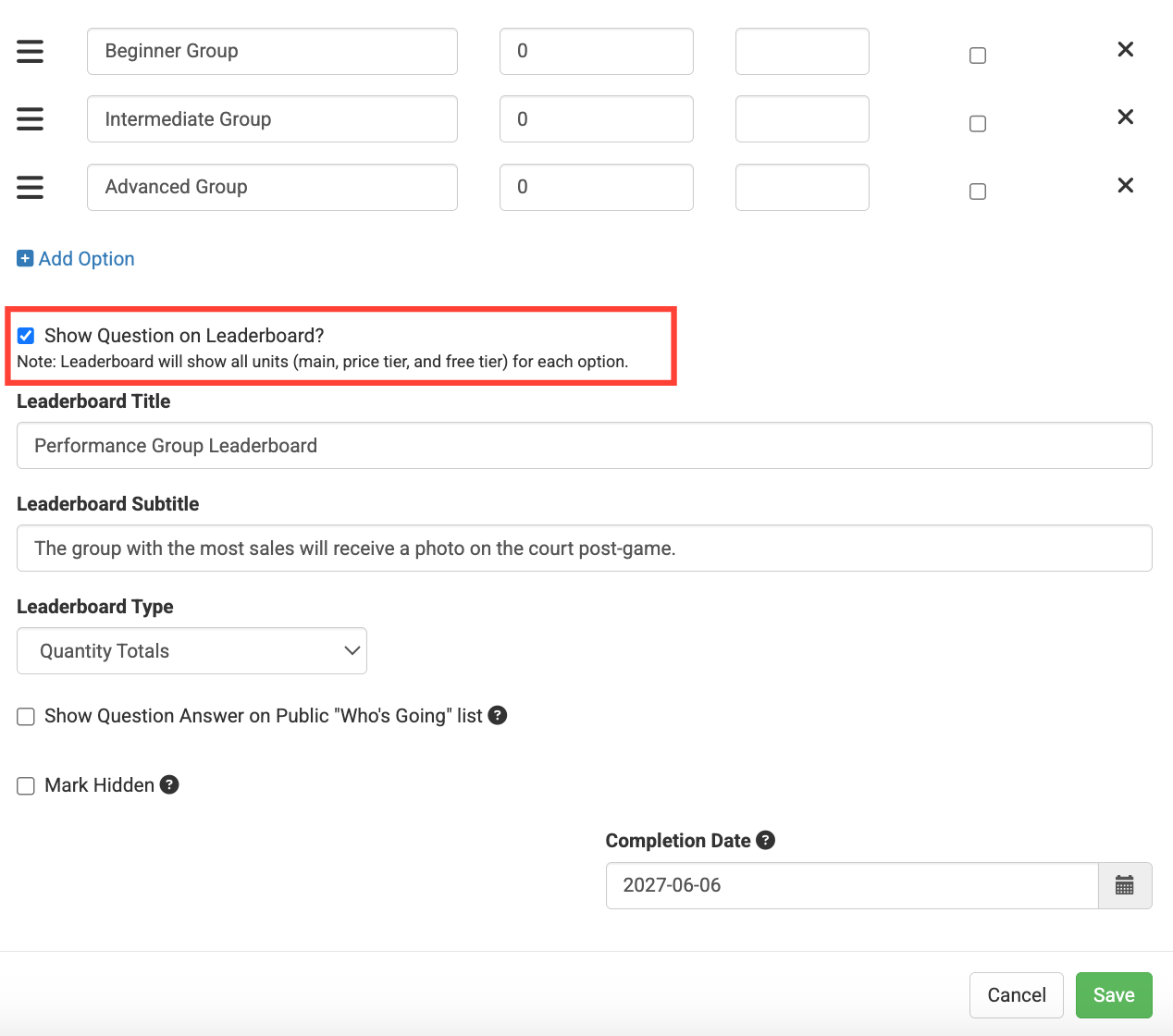
Step 7 (Optional): Check the box that reads "Show Question on Leaderboard?" if a leaderboard is needed for the Affiliate page.
*Note: Leaderboard Type defaults to "Quantity Totals" but can be adjusted to "Donation Totals" if the page is tied to a fundraiser.
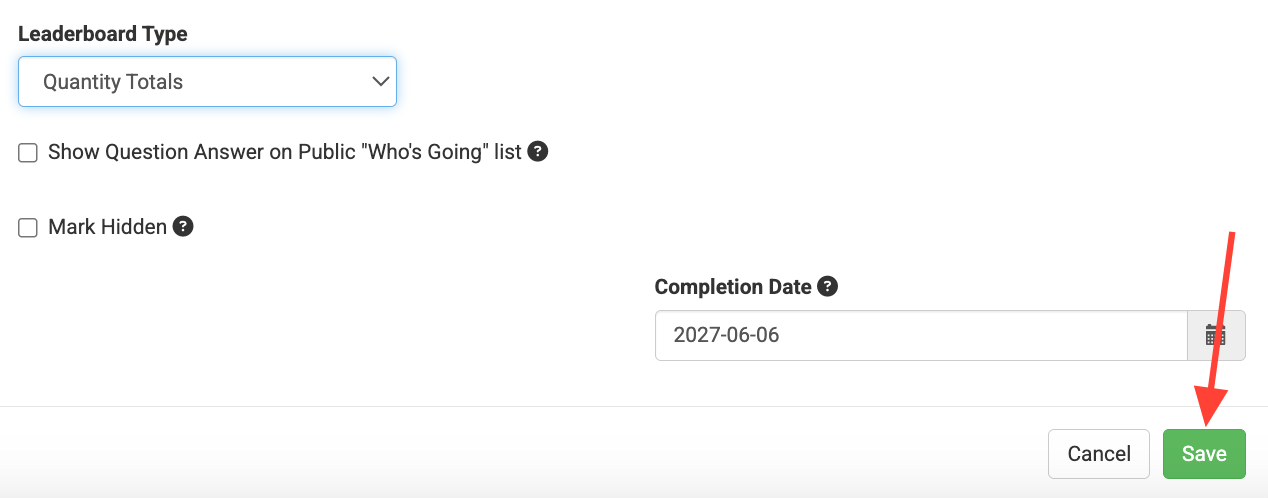
Step 8: Click "Save."
Step 9: Check the affiliate link to make sure the question and/or leaderboard is displaying as expected.
Adding questions at the Affiliate level gives teams more flexibility when utilizing Affiliates within larger or standard groups. A question can be displayed only for a specific Affiliate audience without impacting the larger Group link or other Affiliates within the Group. This makes it easier to tailor questions, collect relevant information, or create leaderboards for specific audiences while keeping the overall promotion streamlined.