
Applying Comp Names To Promotions

Applying Comp Names to Promotions
Building offers in Spinzo means you don't have to adjust tickets after they have been pushed into Ticketmaster Archtics. Applying comp names is one of the many ways Spinzo helps make that possible. Below are the simple steps for applying comp names through Spinzo promotions.
#1 – Set Up Archtics
In Archtics, navigate to Administration > User Management > SPZ818.
Under Privileges, expand Buy and enable the Complimentary permission.
Archtics will likely ask whether you want to create a new permission set or update the existing Integration ATS permission set. We recommend creating a new permission set (for example, Spinzo) unless you want to grant this permission to all ATS integrations.
#2 – Share Comp Names with Spinzo
Send Spinzo a list of all comp names you plan to use through the platform. Be sure each comp name matches the spelling and characters used in Archtics exactly.
#3 – Apply Comp Names in Spinzo
Comp names can be applied to Free Tier programs in Spinzo.
Create your Free Tier program by selecting the appropriate program type and configuring any limits.
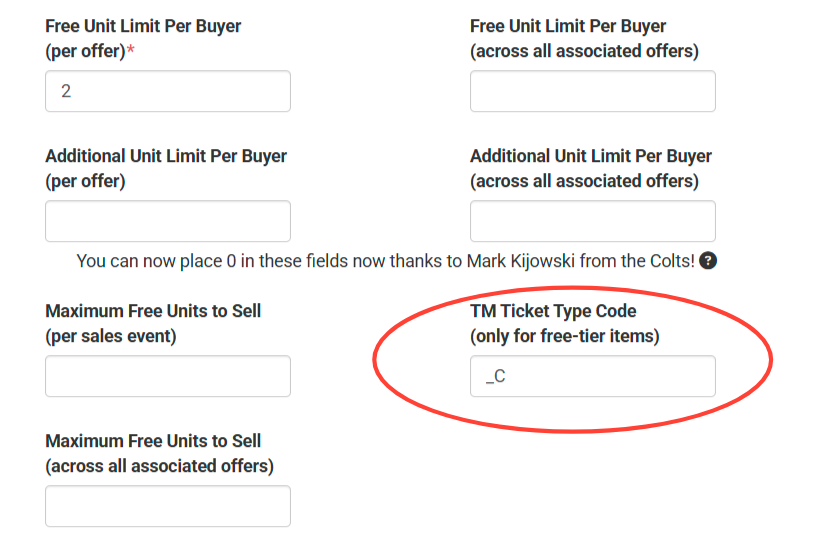
If you want the complimentary tickets to use a specific ticket type, enter the appropriate value in the Ticket Type Code field shown below.
Next, select the desired comp name from the drop-down menu.
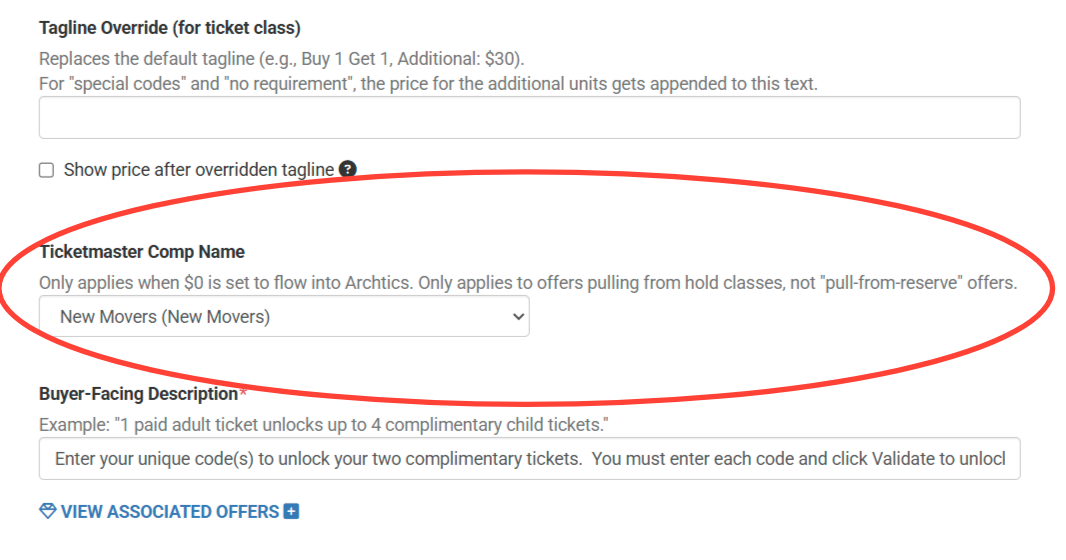
All complimentary tickets associated with that program will be pushed into Archtics using the _C ticket type and the selected comp name (for example, "New Movers").
To add Comp Names to your seller profile, email service@spinzo.com.